 Sign in with Google
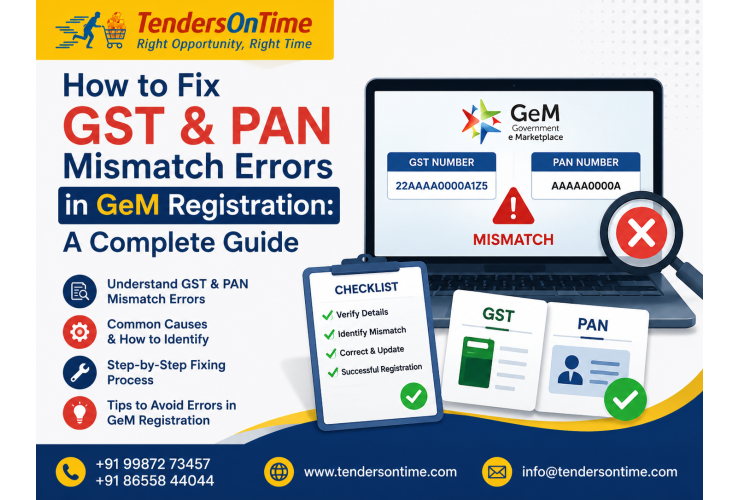
If you've been staring at an error message on the GeM portal wondering why your documents are being rejected, you're not alone. GST and PAN mismatch in GeM registration is one of the most common roadblocks sellers face, and the frustrating part is that it often stems from something as small as a spelling difference or an outdated address. The good news? It's almost always fixable once you know where to look.
In this guide, we'll walk through exactly why this mismatch happens, how to identify the root cause, and the step-by-step fixes that actually work. Whether you're a first-time seller or a business based in Kolkata trying to get listed on GeM, this should clear up the confusion.
Why Does GST and PAN Mismatch Happen on GeM?
Before jumping into fixes, it helps to understand what's actually going wrong behind the scenes. GeM registration pulls your business details directly from government databases, cross-checking your PAN with your GST records in real time.
When these two don't line up exactly, the system flags it as an error. It's not being overly strict for no reason, this validation exists to prevent fraudulent registrations and ensure only legitimate businesses get listed as government vendors.
Here are the most common reasons this mismatch occurs:
- Name discrepancies: Your business name on the GST certificate doesn't exactly match the name registered against your PAN
- Legal structure differences: For example, registering as a proprietorship on GST but entering a different legal status during GeM registration
- Recent GST amendments: If you've updated your GST details recently, the change might not have synced with the PAN database yet
- Typing errors: A simple typo in the GST number or PAN entered during registration
- Multiple GSTINs under one PAN: Businesses with branches in different states sometimes get confused about which GSTIN to use
Sound familiar? If you've hit one of these snags, you're already halfway to solving it.
Step-by-Step Process to Fix GST PAN Mismatch in GeM Registration
Step 1: Verify Your PAN and GST Details Independently
Start by pulling up your GST certificate and comparing it line by line with your PAN card. Pay close attention to:
- Legal name spelling (including spaces, initials, and abbreviations)
- Business constitution type (proprietorship, partnership, private limited, etc.)
- Date of birth or incorporation, if applicable
Even a missing middle initial can trigger a mismatch, so don't skip this step assuming everything's fine.
Step 2: Check the GST Portal for Accuracy
Log into the official GST portal and confirm that your registered details are current and error-free. If you notice any outdated or incorrect information, you'll need to file for an amendment before proceeding with GeM registration.
This is a common oversight, many sellers try to fix the issue directly on GeM without realizing the root problem actually sits with their GST record.
Step 3: Ensure PAN-GST Linkage Is Active
Your PAN needs to be properly linked and validated within the GST system. If there's any pending verification or an inactive status, this will almost certainly cause a mismatch error during GeM registration.
You can check this linkage status directly on the GST portal under registration details.
Step 4: Re-enter Details Carefully on the GeM Portal
Once you've confirmed everything is accurate on the government databases, go back to GeM registration and re-enter your GSTIN and PAN carefully. A helpful tip: copy-paste directly from your official documents instead of typing manually, since this eliminates human error entirely.
Step 5: Raise a Grievance Ticket If the Error Persists
If you've verified everything and the system still shows a mismatch, it's likely a backend sync delay between databases. In this case:
- Raise a support ticket through the GeM helpdesk
- Attach screenshots of your GST certificate and PAN card for reference
- Clearly describe the exact error message you're seeing
GeM's support team typically resolves genuine sync issues within a reasonable turnaround time, though response times can vary depending on ticket volume.
Common GeM Portal Registration Errors Beyond GST-PAN Mismatch
While GST and PAN mismatch is a frequent complaint, it's often not the only hurdle. Other GeM seller registration issues include:
- OTP verification failures due to outdated mobile numbers linked to Aadhaar
- Digital signature certificate (DSC) errors during document upload
- Bank account verification delays when account details don't match business records
- Incomplete Udyam or MSME registration causing category selection issues
If you're troubleshooting one error, it's worth double-checking these related areas too, since they often surface together during the registration process.
Practical Tips to Avoid GeM Registration Errors in the Future
A little preparation goes a long way here. Before you even start your GeM registration:
- Keep your GST and PAN details updated across all government portals simultaneously
- Avoid registering during ongoing GST amendments, wait for confirmation before proceeding
- Double-check your business constitution type matches across every document
- Save digital copies of your GST certificate and PAN card for quick reference during registration
Think of it like filing your taxes, the smoother your paperwork is upfront, the fewer headaches you'll face down the line.
When Should You Seek Professional Help?
Sometimes, despite following every step correctly, the mismatch error just won't resolve. This usually happens when there's a genuine backend data conflict between the Income Tax and GST databases, which individual sellers often can't fix on their own.
This is where working with an experienced GeM consultant can save considerable time and frustration. A good GeM consultant or GeM service provider understands exactly how to liaise with the helpdesk, format grievance tickets correctly, and track resolution timelines effectively.
For businesses based in West Bengal, a Tenders Consultancy in Kolkata familiar with local business registrations can be particularly useful, since they often understand region-specific documentation quirks that come up with state GST registrations.
Why GeM Vendor Registration Matters for Your Business
It's worth stepping back for a moment. GeM vendor registration in India opens doors to government procurement opportunities that many businesses overlook. Government departments and PSUs are required to source through GeM, meaning registered sellers gain access to a steady stream of tender opportunities that aren't available through regular commercial channels.
Getting past registration errors isn't just an administrative formality, it's the gateway to a completely new sales channel. Isn't it worth the extra effort to get it right the first time?
Final Thoughts
GST and PAN mismatch in GeM registration can feel like a frustrating dead end, but in most cases, it comes down to a data inconsistency that's entirely fixable with careful verification. Start by cross-checking your documents, confirm your GST portal details are current, and don't hesitate to raise a grievance ticket if the issue is on GeM's end.
If you're based in Kolkata or anywhere else in India and find yourself stuck despite doing everything right, reaching out to an experienced GeM registration consultant in Kolkata can help you get unstuck faster, without the back-and-forth guesswork. Sometimes an outside expert who deals with these errors daily is exactly what saves you weeks of delay.
Frequently Asked Questions
1. Why does GST and PAN mismatch occur during GeM registration?
This typically happens when your business name, legal structure, or other details on your GST certificate don't exactly match the records linked to your PAN. Even minor spelling differences or recent GST amendments can trigger this error.
2. How do I fix PAN mismatch in the GeM portal?
Start by comparing your GST and PAN documents line by line for discrepancies. If everything matches but the error persists, raise a support ticket with GeM's helpdesk along with supporting documents.
3. Can I complete GeM seller registration if my GST was recently updated?
It's best to wait a few days after any GST amendment before starting GeM registration, since database syncing between GST and PAN systems can take time to reflect changes.
4. Is it necessary to hire a GeM consultant for registration troubleshooting?
Not always, many mismatch errors can be resolved independently by verifying your documents. However, a GeM consultant can be helpful for persistent backend errors or if you're short on time.
5. Where can I find reliable GeM registration consultants in Kolkata?
Look for a Tenders Consultancy in Kolkata with proven experience handling GeM vendor registration in India, and check their track record with GST-PAN related resolutions specifically.