Login
Login
Register
Complete Your Profile
Change Password
Request a Password Reset
Download Documents
Download Documents
Get Help to Participate in This Tender
Change Password
For better security, update the account password.
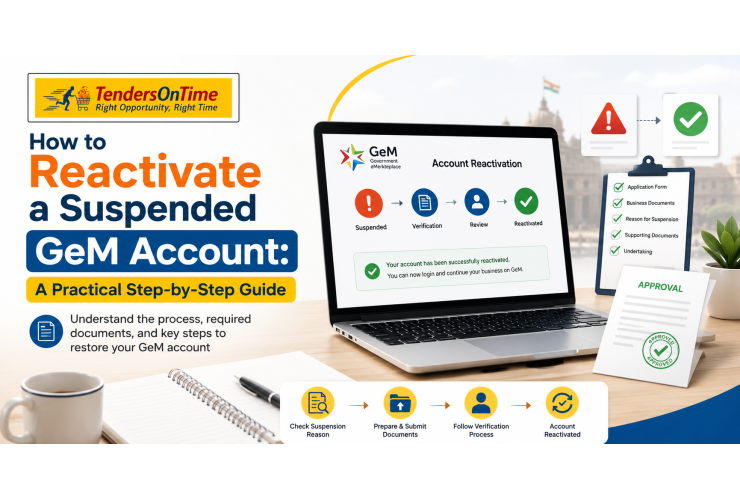
If you're a vendor on the Government e-Marketplace and you've just found out your seller profile has been put on hold, you're probably searching for one thing right now: how to reactivate a suspended GeM account. The good news is that suspension isn't always the end of the road. In most cases, it's a correctable situation, provided you understand why it happened and respond the right way. This guide walks you through the entire process, from spotting the warning signs to filing a proper response, so your business in India can get back to bidding on tenders without unnecessary delays.
Before you can fix a suspended account, it helps to understand the common GeM account suspension reasons. GeM runs on a trust-based model, which means the platform relies heavily on sellers self-declaring accurate information and honoring their commitments. When something doesn't add up, the system flags it.
Some of the most frequent triggers include:
Incomplete or mismatched documents - GST, PAN, or bank details that don't match your registration
Delivery failures or delayed order fulfillment on confirmed tenders
Quality complaints raised by a buyer department after delivery
Non-response to buyer queries or incident notices within the given timeline
Inconsistent pricing or product listings that violate GeM's catalogue guidelines
Expired certifications, such as an outdated MSME or quality certificate
A GeM account suspended for a documentation gap is usually far easier to resolve than one flagged for repeated delivery or quality issues. Knowing which bucket your case falls into is the first real step toward reactivation.
The moment you notice restricted access, log in to your seller dashboard and head to the Incident Management (IM) section. This is where GeM logs the specific reason for the action taken against your profile.
Don't skip this step. A lot of vendors jump straight to calling a helpline or emailing support without knowing exactly what they're being asked to fix. That almost always slows things down, because your response won't address the actual complaint on file.
Ask yourself: does the notice mention a buyer complaint, a document mismatch, or a compliance breach? Each of these needs a different kind of response.
Not every suspension works the same way. Broadly, you're dealing with one of these situations:
Minor incident — Often resolved directly between buyer and seller, or closed once the seller submits a satisfactory clarification.
Show Cause Notice (SCN) — A formal notice giving you a defined window to explain the deviation with supporting evidence.
Cooling-off or restriction period — In more serious cases, the account may remain suspended for a set duration before any appeal is even considered.
Knowing which category applies to your GeM account suspension changes your entire strategy. Responding to an SCN with a casual clarification email, for instance, rarely works - it needs a structured, evidence-backed reply.
This is where most reactivation attempts succeed or fail. GeM's review process is document-driven, so a vague explanation without proof carries very little weight.
Depending on your case, you may need:
Delivery challans, courier receipts, or tracking proof
Communication trail with the buyer department
Updated GST, PAN, MSME, or quality certification copies
Bank account validation documents (especially if payments were affected)
A written explanation that directly addresses the specific clause or reason cited in the notice
Keep this organized and specific. A generic "we apologize for the inconvenience" reply won't move the needle - GeM's reviewers are looking for a factual, point-by-point rebuttal or correction.
Once your documentation is ready, submit your reply through the same IM dashboard or the designated response window on your seller account. Make sure you:
Respond within the timeline mentioned in the notice - late submissions can complicate your case unnecessarily
Attach every relevant file rather than referencing it separately in text
Keep your written explanation clear, factual, and free of unnecessary details that don't relate to the incident
If the issue is something you can rectify quickly, such as an expired document, updating it and requesting reactivation through the GeM Helpdesk is often enough to get the profile reinstated.
If penalties or restrictions have already been imposed and you have new information that wasn't considered earlier, GeM allows a formal appeal - but with some important conditions:
The appeal must generally be filed within a short window after the penalty is imposed (typically around 10 calendar days)
It can usually be used only once per incident
It's meant for cases where fresh, relevant evidence has come up since the original decision
Your account status won't change while the appeal is under review
This isn't a tool for repeating the same explanation hoping for a different outcome. It's specifically meant for genuinely new evidence.
After submission, don't just wait indefinitely. Check the IM dashboard periodically for status updates, and if there's no movement within a reasonable period, raise a follow-up query through the GeM helpdesk. Reactivation timelines aren't fixed - a straightforward documentation case might resolve in days, while a more serious compliance issue can take longer.
Have you checked whether your suspension notice mentions a specific deadline for response? Missing that window is one of the easiest ways to turn a fixable issue into a prolonged one.
It's worth being clear about the difference here, because vendors often conflate the two. A suspended GeM account is temporary and, in most cases, reversible once the underlying issue is addressed. A cancelled registration, on the other hand, is generally permanent - once a GeM ID is cancelled, sellers typically need to complete a fresh registration rather than expecting the same profile to be reactivated. If your dashboard shows "cancelled" rather than "suspended," your path forward is registering as a new vendor, not appealing.
Over the years, a few recurring mistakes show up again and again among sellers trying to recover their profiles:
Submitting multiple duplicate responses instead of one well-documented reply
Ignoring the exact clause cited and responding to a different issue altogether
Delaying document updates even after knowing certifications had expired
Not maintaining a paper trail with buyers, which becomes critical during disputes
Avoiding these alone can significantly shorten your reactivation timeline.
Some suspension cases are genuinely simple - an expired certificate or a bank detail mismatch that you can fix in an afternoon. But others involve buyer disputes, technical clauses in GeM's Terms of Use, or repeated incidents that need a carefully worded, evidence-backed appeal.
This is where a GeM registration consultant or GeM tender consultant can be genuinely useful. An experienced GeM consultancy services provider has usually seen dozens of similar cases and knows how GeM's review teams expect responses to be framed. If you're based in Mumbai or elsewhere in India and running a business that depends on steady tender access, working with a GeM consultant for the reactivation process - or even just a second opinion before you submit your response - can save you from an avoidable rejection.
For vendors going through GeM vendor registration in Mumbai for the first time, this is also a good moment to get your documentation, catalogue listings, and compliance processes reviewed properly, so a similar suspension doesn't repeat itself down the line.
Once your account is back in good standing, a little discipline goes a long way in keeping it that way:
Respond to buyer queries and incident notices promptly, without letting deadlines slip
Set calendar reminders for certificate and registration renewals well before expiry
Keep product listings, pricing, and specifications accurate and updated
Maintain clear, timestamped communication with buyers on every order
Dealing with a GeM account suspended notice can feel stressful, especially when tenders and revenue are on the line. But the process to unsuspend a GeM account is fairly structured once you know the steps: identify the reason through the IM dashboard, gather solid documentation, respond within the given timeline, and use the appeal option only when you genuinely have new evidence.
If your case feels complicated, or you'd simply rather have an expert set of eyes on your response before submission, reaching out to a trusted GeM registration consultant or GeM tender consultant in India can make the reactivation process smoother and help safeguard your vendor account for the long run.
1. How long does it take to reactivate a suspended GeM account?
There's no fixed timeline for GeM account reactivation. A simple documentation fix might be resolved within a few days, while cases involving Show Cause Notices or buyer disputes can take longer depending on how the review progresses.
2. What are the most common GeM account suspension reasons?
The most frequent causes include expired certifications, mismatched GST or bank details, delivery delays, quality complaints from buyers, and failure to respond to incident notices within the specified time.
3. Can a cancelled GeM account be reactivated the same way as a suspended one?
No. A suspended account can generally be reactivated once the issue is resolved, but a cancelled GeM registration is usually permanent, meaning you'd need to complete a fresh GeM registration instead.
4. Do I need a GeM consultant to reactivate my account?
Not always. Simple cases, like updating an expired document, can often be handled directly through the Helpdesk. However, for disputed incidents or appeals, a GeM registration consultant or GeM tender consultant can help you frame a stronger, evidence-backed response.
5. What happens if I miss the deadline mentioned in a Show Cause Notice?
Missing the response window can seriously weaken your case and may extend the suspension period. It's important to track your Incident Management dashboard closely and respond within the given timeframe.
 Sign in with Google